
Gmocker: Location Changer
VidaTechMaps & Navigation
4.51.31K Reviews
- Version
- 2.4.5
- Installs
- 1.00M
- Age Rating
- Everyone
Screenshots
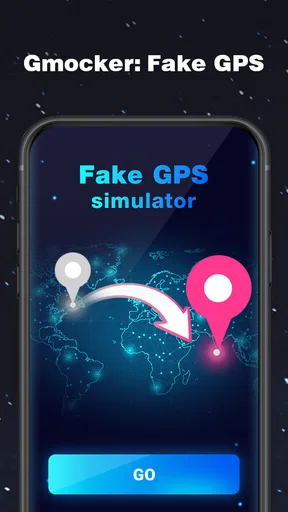
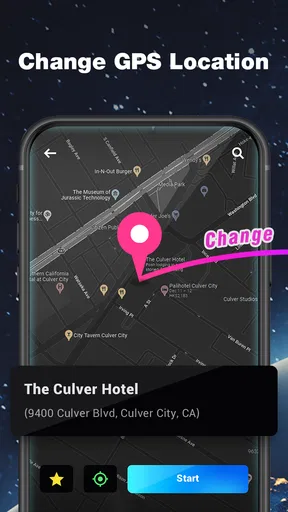
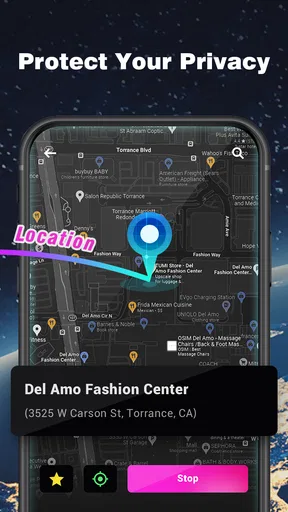
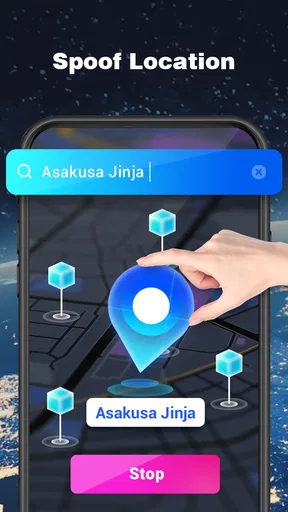
Our Review of Gmocker: Location Changer
 Analysis by Appyee
Ever found yourself needing to be somewhere else without actually moving a muscle? Well, my friend, that's where Gmocker: Fake GPS Location comes into play. This nifty little app is like having a teleportation device for your smartphone. Let's dive into what makes it tick and why it might be the perfect addition to your app library.
What is Gmocker?
Gmocker: Fake GPS Location is an app that lets you spoof your GPS location. Whether you're trying to access content that's region-locked or simply want to play a prank on your friends by pretending you're on a beach in Bali, this app has got you covered. It's available for both Android and iOS, making it pretty accessible no matter what device you're rocking.
Setting Up the Adventure
Getting started with Gmocker is a breeze. Once you've downloaded it from the app store, it's just a matter of a few taps to get everything set up. The interface is clean and intuitive, which makes navigation a piece of cake. You don't need to be a tech guru to figure this one out.
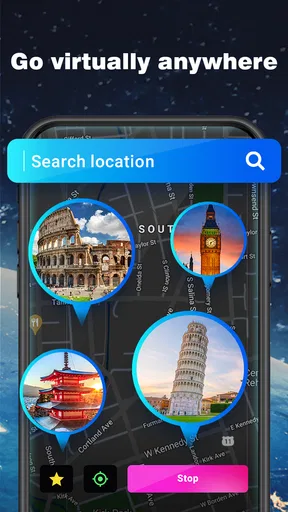
After launching the app, you'll be greeted with a map. Here, you can simply search for a location or drag the pin to wherever you desire. Want to "visit" the Eiffel Tower? Just type it in and voila, you're there—at least according to your phone.
Why Use a Fake GPS?
You might be wondering, "Why would I ever need to fake my location?" Well, there are actually a few pretty solid reasons. For one, it can help you access services or content that might be geo-restricted. Think about those streaming services that have different libraries in different countries. With Gmocker, you're not limited by your physical location.
Moreover, it's a great tool for developers who need to test apps or services that are location-dependent. Instead of physically traveling to test location-based features, Gmocker provides a simple workaround.
Features That Stand Out
One of the standout features is the ability to create routes. Imagine the possibilities! You could simulate a journey from your home to a far-off destination, all without stepping outside. This is particularly useful if you're testing apps that track movement.
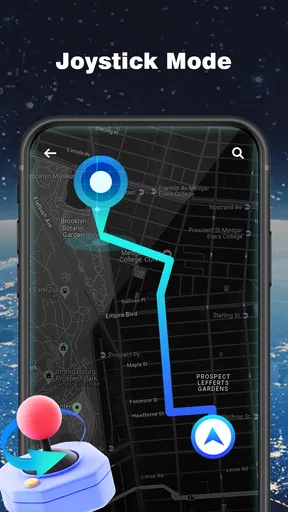
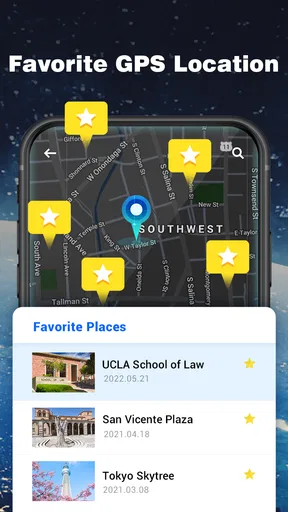
The app also boasts a history feature, allowing you to revisit places you've "visited" before. It's like a travel diary, minus the actual travel. Plus, with the joystick mode, moving around the map feels smooth and natural, enhancing the overall user experience.
Keeping It Realistic
Gmocker also does a solid job of keeping your location changes under the radar. It randomizes location updates, making it harder for other apps to detect that you're spoofing your GPS. This is crucial if you're using it for apps that are strict about location accuracy.
Easy on the Battery
Another aspect where Gmocker shines is its battery efficiency. While some GPS spoofing apps can be a drain, Gmocker is designed to be easy on your phone's battery life, letting you "travel" without worrying about running out of juice.
Final Thoughts
All in all, Gmocker: Fake GPS Location is a versatile app that offers a host of benefits for both casual users and developers alike. Its user-friendly interface, powerful features, and efficiency make it a top choice for anyone looking to manipulate their GPS location.
So, if you're ready to explore the world from your couch or need to test some location-based features, give Gmocker a try. Who knows? You might just find yourself "visiting" places you never dreamed of without ever having to pack a bag.
Privacy and Permissions
See what permissions an app requests and how it handles your data.
- Location
- approximate location (network-based), precise location (GPS and network-based)
- Phone
- read phone status and identity
- Wi-Fi connection information
- view Wi-Fi connections
- Device ID & call information
- read phone status and identity
- Other
- mock location sources for testing, view network connections, full network access, reorder running apps, draw over other apps, prevent device from sleeping
Verdict
Strengths of Gmocker: Location Changer
- Easy to switch locations instantly.
- Supports multiple map views.
- Customizable settings for accuracy.
- Works well with other apps.
- User-friendly interface.
Limitations of Gmocker: Location Changer
- May drain battery quickly.
- Requires permissions to function.
- Occasional GPS signal issues.
- Some ads in free version.
- Limited features without premium.
Similar Picks in This Category
View All
Uber - Request a ride
Uber Technologies, Inc.4.7


inDrive. Rides with fair fares
® SUOL INNOVATIONS LTD4.8

Yandex Go: Taxi Food Delivery
Mikromobilnost LLC Belgrade4.8

Bolt: Request a Ride
Bolt Technology4.8

Rapido: Bike-Taxi, Auto & Cabs
Rapido Bike Taxi4.8
Frequently Asked Questions
What is Gmocker: Fake GPS Location, and how does it work?
Gmocker: Fake GPS Location is an app that allows users to simulate their GPS location on their device. By selecting a location on the map within the app, users can trick their phone into believing they are somewhere else. This can be useful for testing location-based apps or for privacy reasons.
Is Gmocker: Fake GPS Location safe to use on my device?
Gmocker is generally safe to use, but it is important to download it from a reputable source like the Google Play Store or Apple App Store. Users should be aware that using fake GPS locations can violate the terms of service of some apps, which could lead to account suspensions.
Can I use Gmocker: Fake GPS Location for gaming purposes?
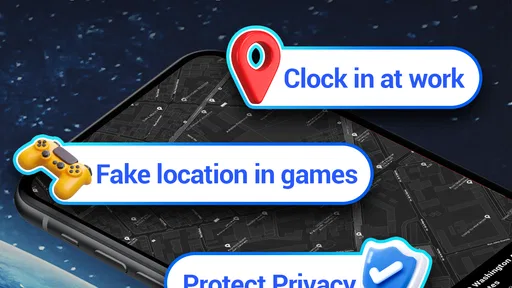
While some users employ Gmocker for gaming, especially in location-based games, it's crucial to know that this can breach game rules. Developers often prohibit GPS spoofing, and using such apps might result in bans or penalties. Always check the game’s terms and conditions before proceeding.
Does using Gmocker affect the performance of my other apps?
Gmocker typically runs smoothly without impacting the performance of other apps. However, constantly changing your location might confuse apps that rely heavily on GPS. It’s advised to monitor app behavior and revert to your real location if any issues arise.
How do I ensure Gmocker is functioning correctly on my device?
To ensure Gmocker is working properly, open the app and select a location on the map. Then, check a location-based app on your device to see if it recognizes the new location. If it doesn’t, make sure your device’s GPS settings allow for mock locations and that Gmocker has the necessary permissions.
